- Start & Build

Product Overview
What you can do with BigCommerce.
Agentic Commerce
 AI-powered solutions for growth.
Design Your Store
Build your store with or without code.
Apps & Integrations
Over 1,200 apps to help you grow.
Migrate to BigCommerce
Switch from Shopify, Woocommerce, Salesforce, Magento, and more.
- Launch Services
Overview
Chart your path to success with specialised services.Implementation Project Management
Experts to ensure you launch on time and under budget.Solution Architecture
Seasoned advisors to help you best design your store.Data Migration & Optimisation
Expertise on a clean and clear path to migrating your data.Enterprise Launch Package
Personal training on how to set up and launch your BigCommerce Store.

Professional Services Blog Series
Get to know our teams and how they support your success in this Q&A series.

The Global B2B Buyer Behavior Report
This in-depth report provides actionable strategies to help you sell more online.
Backorders Is Now Generally Available for All BigCommerce Merchants

Create your store and start selling today.
Create your new website.
See if the BigCommerce platform is a good fit for your business.
No credit card required.

Written by
Ani Shringarpure30/09/2026
Backorders Is Now Generally Available for All BigCommerce Merchants
Get The Print Version
Tired of scrolling? Download a PDF version for easier offline reading and sharing with coworkers.
A link to download the PDF will arrive in your inbox shortly.
Key highlights:
Merchants can set backorder limits per product and location, and cap what shoppers can buy with Available to Sell (ATS). .
GA adds shopper-facing messaging: availability prompts, per-variant messages like “Ships in 2–3 weeks,” and shipping expectations at cart and checkout.
Carts, checkout, and orders show what ships now and what ships later.
Backorder prompts are opt-in, messages are customizable, and developers get full API coverage.
The wait is over: shoppers can now see exactly when a backordered item will ship. With Backorders now in GA, you’ll never lose a sale when on-hand inventory reaches zero. Set a backorder limit per product and location, track backordered units separately from on-hand inventory, and let Available to Sell (ATS) cap what shoppers can buy. That was the beta.
GA completes the experience with what shoppers see: clear messaging at every step, before they buy.
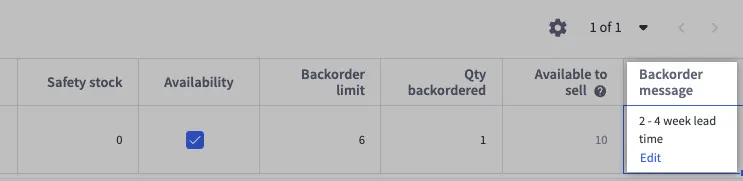
What's new at general availability
Product pages: an availability prompt next to the stock level, plus per-variant messages like “Ships in 2–3 weeks.”Additionally, decide to show what quantities are ready to ship vs. quantities that will be on a backorder.
Cart and checkout: each line item shows units ready to ship vs. units on backorder, plus generates a shipping expectation message. Orders: the messages shown at purchase time stay on the order, so your team and your customer share the same record.
Your call: every setting defaults to off, and prompts come with customizable text.
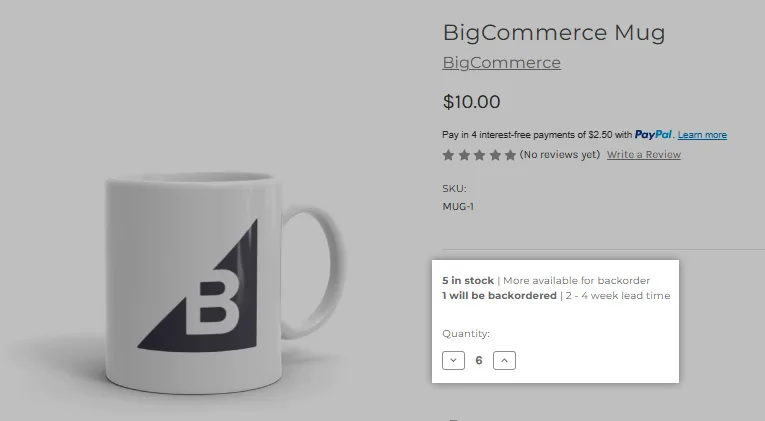
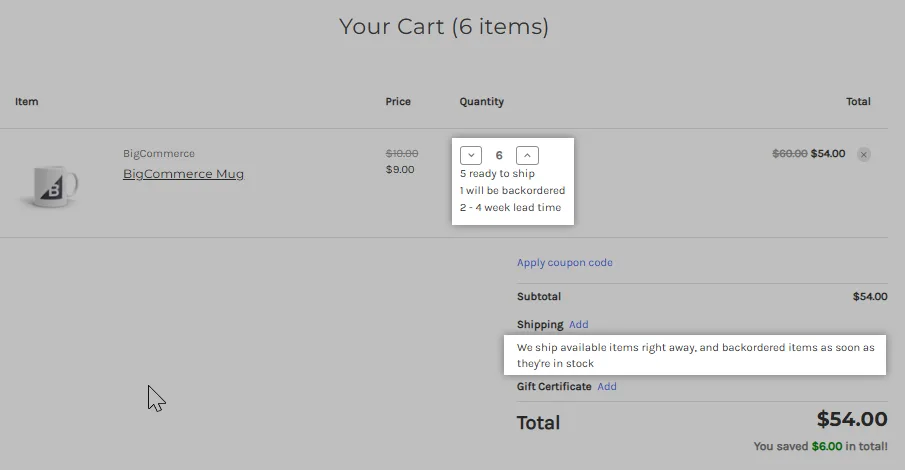
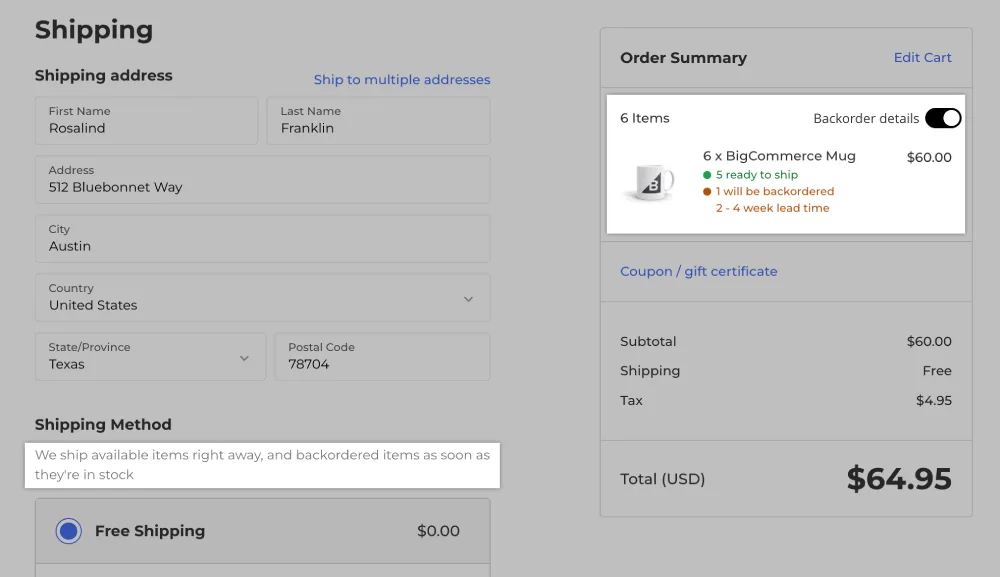
Building custom? Backorder fields run through the Inventory, Orders, and Settings APIs, Storefront GraphQL and REST, Stencil, and Catalyst. Full specifications are in the Backorders developer guide.
How to get started
Enable Backorders under Settings › Inventory in the Control Panel.
Confirm Track Inventory is on for the physical products you want to backorder.
Set backorder limits per product and location, or leave them unlimited.
Turn on the shopper messaging you want and customize the text.

Digital products cannot be backordered. Full requirements are in the Backorders article in the Help Center.
The final word
Stockouts used to force a choice: stop selling, or oversell and scramble. Our Backorders functionality removes that tradeoff, delivering a confident selling experience for you and a confident buying experience for your customers.
Enable it today under Settings › Inventory, and see the Backorders article in the Help Center for setup guidance.
⏰ Isn't about time that you evaluated your ecommerce platform?
Request a demo to see how the BigCommerce platform is different.